
Delete Mac apps completely.
 $9.99 one-time · macOS 14 Sonoma or later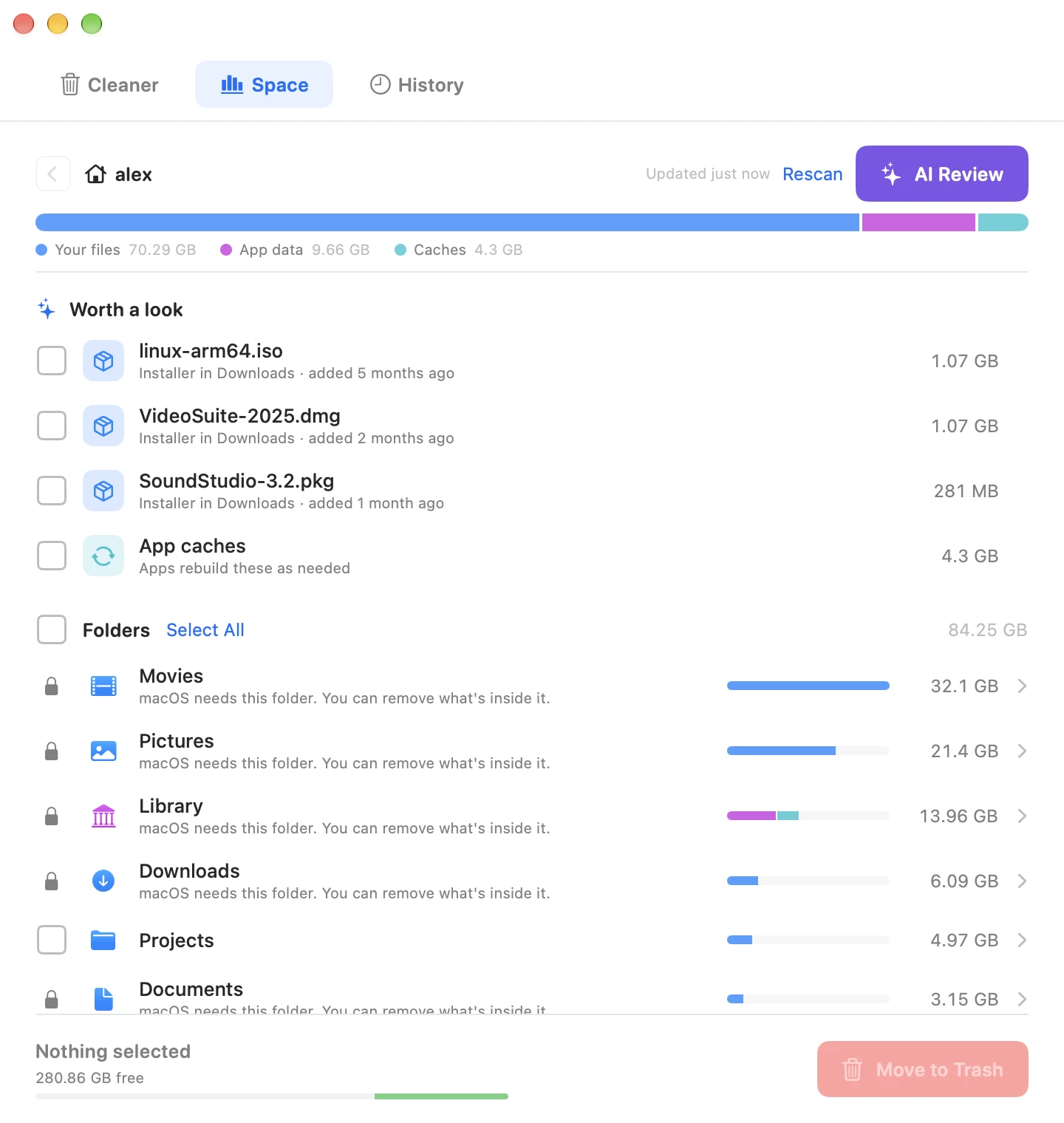
What is Crufti?
Crufti is a native macOS app that removes the files apps leave behind when you delete them. It checks 11 ~/Library locations for leftover preferences, caches, containers and logs, and you review everything before it goes to the Trash. The Space tab shows what is filling your Home folder, and AI Review gives you a second opinion on anything you’re unsure about. It’s a small, private alternative to AppCleaner or CleanMyMac for $9.99.
Dragging an app to Trash isn’t enough.
Deleted apps leave preferences, caches, containers and logs in eleven ~/Library folders. Over time that adds up to gigabytes.
How it works
Drop
Drag any .app onto Crufti.
Review
See every leftover with its size and match confidence.
Clean
Selected files move safely to Trash.
The Space tab
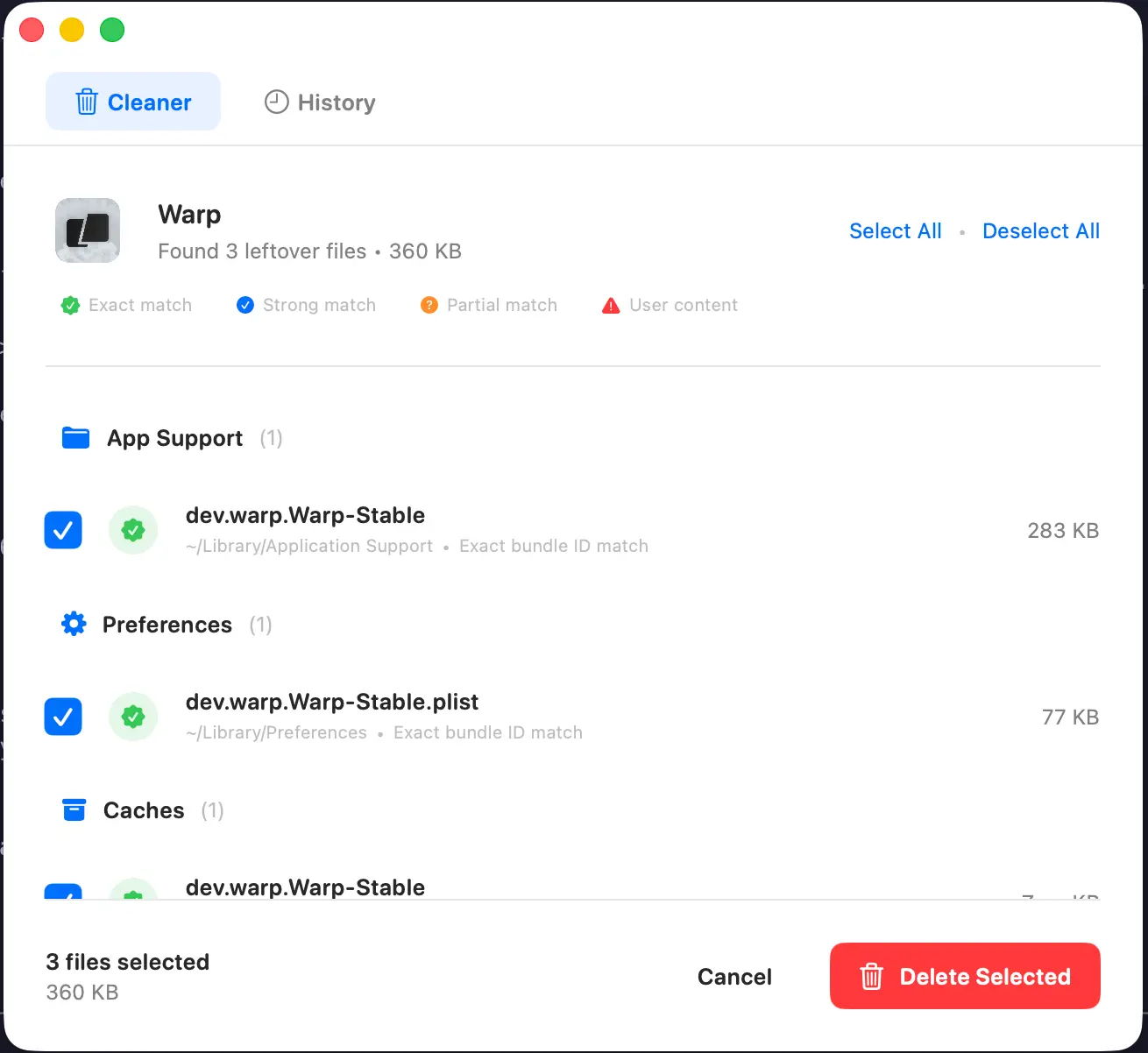
See what’s filling your Mac.
Crufti measures your Home folder and ranks what’s using room, biggest first. Click any folder to look inside. Every row is colored by who owns it, so you can tell your own files from app data, caches, and leftovers at a glance.
AI Review
Not sure what something is? Ask before you delete.
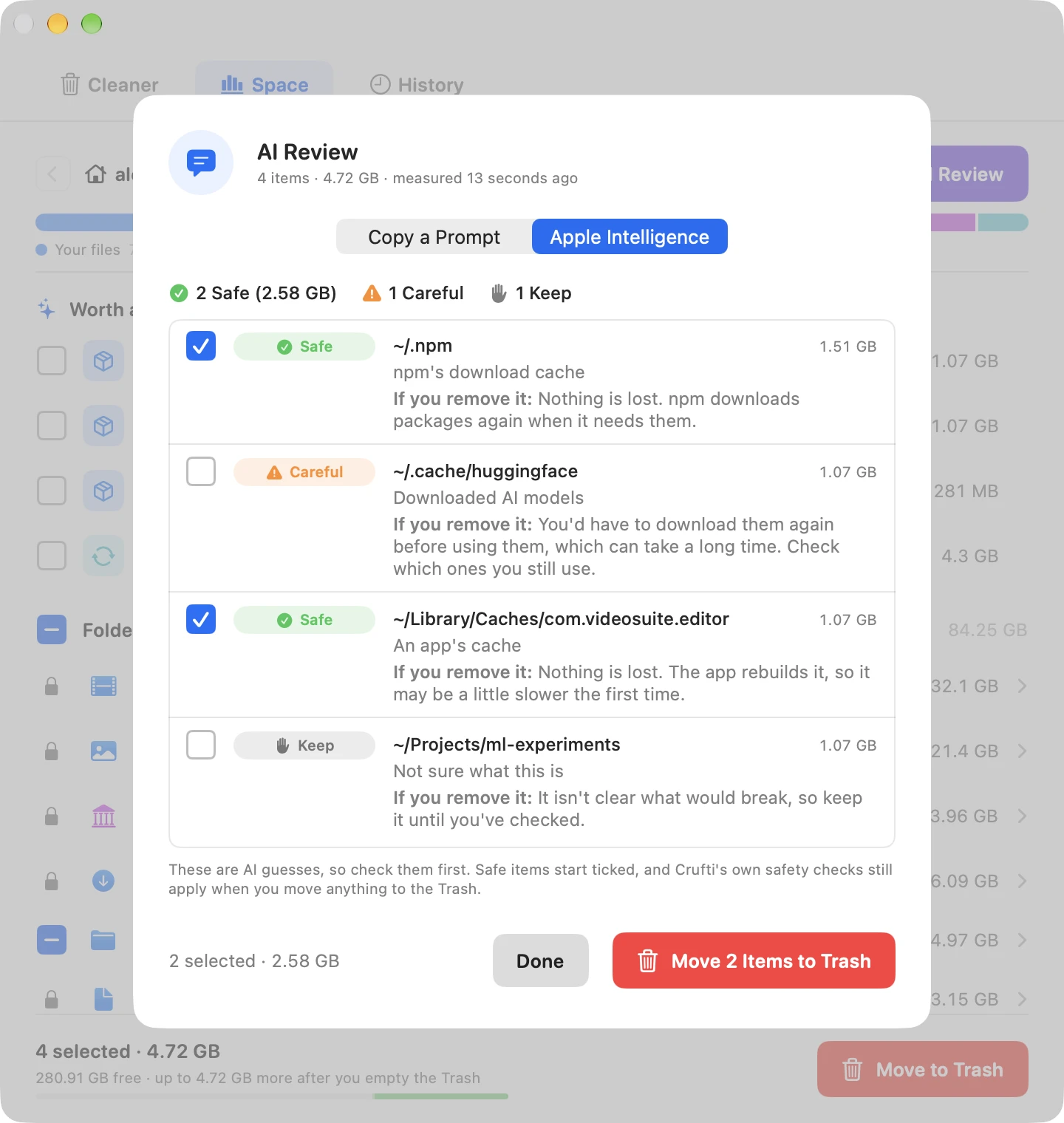
Tick anything you’re unsure about, like a folder called .npm, a cache or an old download, and choose AI Review. Crufti writes a prompt with what it knows about each item, including what’s inside folders. Paste it into ChatGPT, Claude or an agent like Claude Code. It explains each item, says what’s safe to remove, and asks before it removes anything.
Copy a Prompt never sends anything. The prompt only goes where you paste it.
New · Ask Apple Intelligence
On macOS 27, press Ask Apple Intelligence and Crufti rates each item you ticked Safe, Careful or Keep, with a short note on what it is and what removing it would mean. It uses Apple’s Private Cloud Compute. Safe items start ticked, and nothing moves until you confirm. It only runs when you press it, after a one-time notice, and Crufti keeps no copy.
What Crufti does
Smart Matching
Every match is rated exact, strong or partial, so Crufti leaves alone files that belong to something else.
11 Library Locations
Application Support, Preferences, Caches, Containers, Group Containers, Logs and more. Crufti checks all eleven.
Audit Trail
Before each cleanup, Crufti saves a local JSON record of what it moved.
Orphan Scanner
Already deleted the app? The orphan scanner finds files left by apps that are long gone, matched by bundle ID or by the app's name.
See What’s Using Space
The Space tab ranks your Home folder by size and points out what's safe to clear: old installers, app caches, and leftovers from deleted apps. Not sure about something? AI Review gives you a second opinion.
Remove the App, Too
Still have the app? Crufti can move it to the Trash along with its leftovers in one pass, after you confirm, with one-click Undo.
Uninstall from Finder
Control-click any app in Finder and pick “Uninstall with Crufti” to start a scan without opening Crufti first.
Review Before Delete
You see every file, its size and its match confidence before you confirm. Nothing is removed until you say so.
Undo & Restore
Files go to the Trash, so you can put them back with one click.
How Crufti avoids deleting the wrong files
The worst thing a cleaner can do is delete something that wasn’t leftover. These checks are there to prevent that.
Full bundle ID match
Starts with the app's identifier
Word-boundary match only
Privacy
Crufti never sends anything on its own. Scanning, matching and deleting all happen on your Mac. The only exception is the optional Apple Intelligence check, which runs when you press it.
Frequently asked questions
Ready to clean your Mac?
$9.99 one-time · No subscription